[pNext] v0.4.0 - Alpha Released

Wrecquiem

v0.4.0
=====

  • Updating the README to include instructions on deploying the new client
  • Created a properties.json file to house all of the configuration that can be used to add the client to any of the clones
  • Scoreboard and Examine windows are now scrollable
  • Message area will continue to scroll as messages flow in for long fights
  • Buttons will now properly lose focus when clicked
  • Small dialogs were moved down so that the user can see their status bar (for instance when casting magic bolt, its helpful to be able to see how much mana is available)
  • Buttons/Compass will now be disabled for a split second when taking an action to prevent accidental bans for clicking too fast

Deeming this the official Alpha release. Everything after this will be fixes.
Any new features will go towards a 1.0 release which is based on P5.
(all this subject to change of course http://phorums.phantasia5.com/wcf/images/smilies/emojione/1f609.png )

Still working on the IP issue. It's proving to be very challenging.

LinkBlue WizardLevel 1 Elf

I did notice a dialog missing again.

Follow this order in the Admin panel

Admin ---> Moderate ---> Info ---> Details

there is no detail dialog

Wrecquiem

Nice find. That one's tucked away good http://phorums.phantasia5.com/wcf/images/smilies/emojione/1f44d.png

LinkBlue WizardLevel 1 Elf

Question, can you hyperlink, http:// links? on the client?

To open in a new window obviously

LinkBlue WizardLevel 1 Elf

Can you make the Phantasia5 client with the Compass raised slightly higher, and add a facebook widget on it? Then make the Userlist have a scrollbar if there are a lot of people on there?

LinkBlue WizardLevel 1 Elf

Also can you make the client open as a new page from ?The Game" button, and have the client open with no address bar, no taskbar etc.

Zapfrom the old forums

Hey! I just got a hold of the website for this. I'm not sure if I missed it somehwere...

I noticed that the spacebar no longer presses the "1" button. Is this intentional?

Edit: I also wanted to say that you guys are amazing! http://phorums.phantasia5.com/wcf/images/smilies/emojione/2764.png

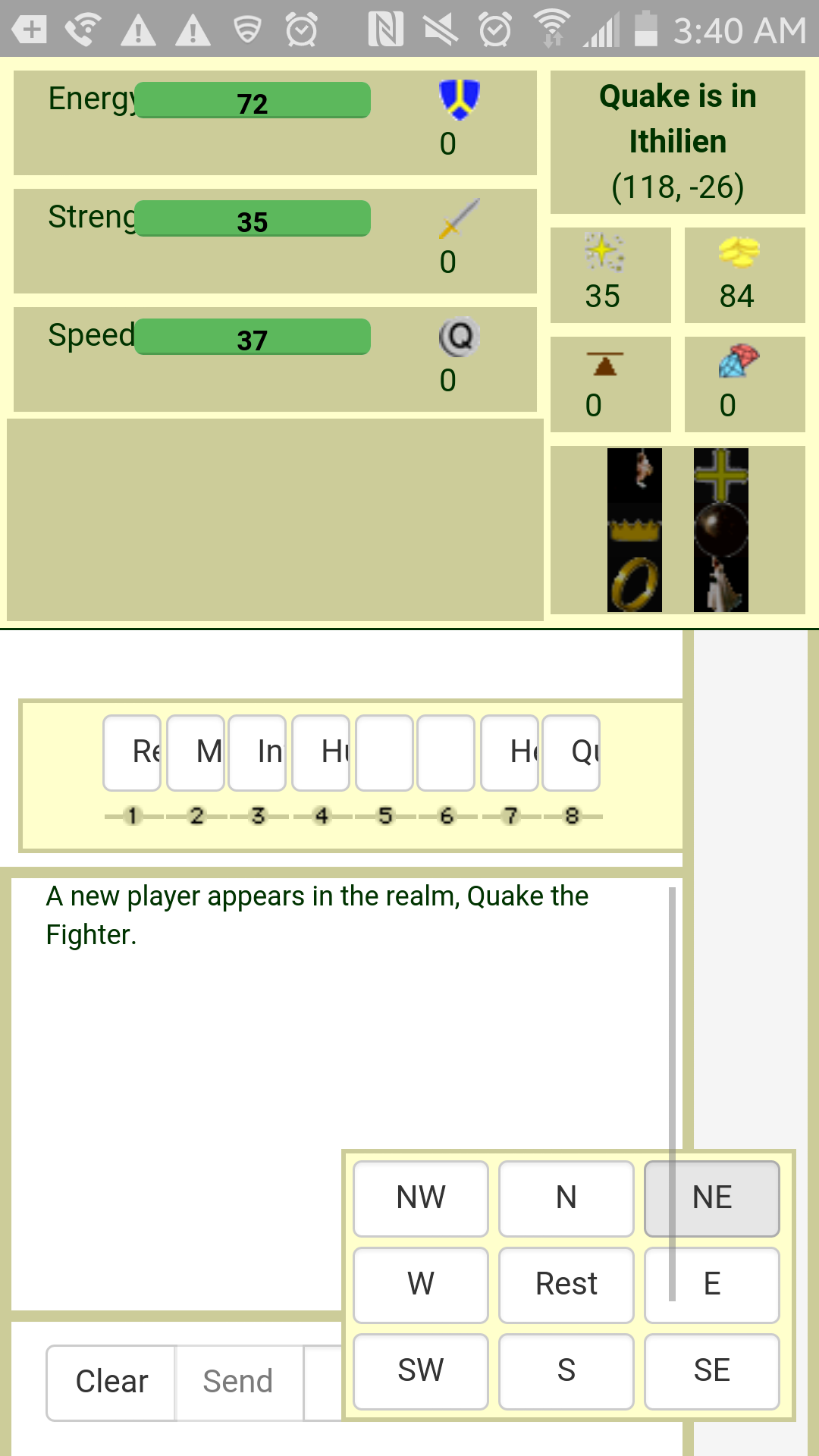
Here is a screenshot from the Galaxy S5.

!Screenshot_2016-03-19-03-40-15.thumb.png.8cc8c1851d93639ba762f02126cfc65c.png(https://www.phantasia5.com/phorums/applications/core/interface/js/spacer.png)

Wrecquiem

My goodness, so many questions! I'll try to respond the best I can http://phorums.phantasia5.com/wcf/images/smilies/emojione/263a.png

Question, can you hyperlink, http:// links? on the client?

To open in a new window obviously

Well, the simple answer is 'Yes'. But the more complex answer depends on where you want it exactly. Like adding a link to the client is easy, but if you mean parsing the response from the server and turning it into a link, that's slightly more involved but still doable.

Can you make the Phantasia5 client with the Compass raised slightly higher, and add a facebook widget on it? Then make the Userlist have a scrollbar if there are a lot of people on there?

Add depth to the compass? Like a drop shadow? Or something else?

Facebook widget should be fine as long as its tasteful. I don't want any gaudy stuff on my masterpiece http://phorums.phantasia5.com/wcf/images/smilies/emojione/1f609.png

Userlist scrollable - yes we'll want that since this game is going to be booming soon, right?

Also can you make the client open as a new page from ?The Game" button, and have the client open with no address bar, no taskbar etc.

Open in a new window - no problem

Address bar, taskbar - shouldn't be a problem for desktops, but not sure how that works on mobile or if its even possible without having an app (which i fully intend on doing after this client is finished). EDIT - looks like I can't do this. Browsers see it as a security issue and won't let us turn off the location bar.

Hey! I just got a hold of the website for this. I'm not sure if I missed it somehwere...

I noticed that the spacebar no longer presses the "1" button. Is this intentional?

Edit: I also wanted to say that you guys are amazing! http://phorums.phantasia5.com/wcf/images/smilies/emojione/2764.png

Here is a screenshot from the Galaxy S5.

Spacebar - I didn't know spacebar pressed 1, I can add that though. Good catch.

I haven't even touched phones yet so I know it probably looks awful http://phorums.phantasia5.com/wcf/images/smilies/emojione/263a.png

Sign in to reply.